Mastering Digital Classroom Engagement Strategies
How do we distinguish between a student who is genuinely processing information and one who is simply staring at a shining screen? In the modern educational landscape, school systems have reached a historic milestone in digital saturation. Almost every classroom features high speed internet, and the vast majority of secondary students have direct access to a dedicated laptop or tablet. Yet, despite this massive technological layout, measures of deep conceptual understanding and critical inquiry have largely remained flat. This discrepancy points to a fundamental design flaw: we have confused behavioral action with cognitive processing. Mastering Digital Classroom Engagement Strategies requires us to move past the superficial metrics of digital participation, such as screens illuminated, links clicked, and gamified points accumulated. Instead, we must look to the intersection of Technology and Science for Teaching to architect digital spaces that align with the natural processing limits of the human brain. This article provides a comprehensive, evidence-based manual for transforming digital tools from passive sources of distraction into active engines of cognitive synthesis. By implementing the systematic approaches detailed below, you will learn how to leverage productive cognitive friction, streamline your instructional interface, and build an active digital classroom that produces durable, verifiable learning outcomes.
The Moment Everything Changed: Rescuing Student Focus from the Digital Void
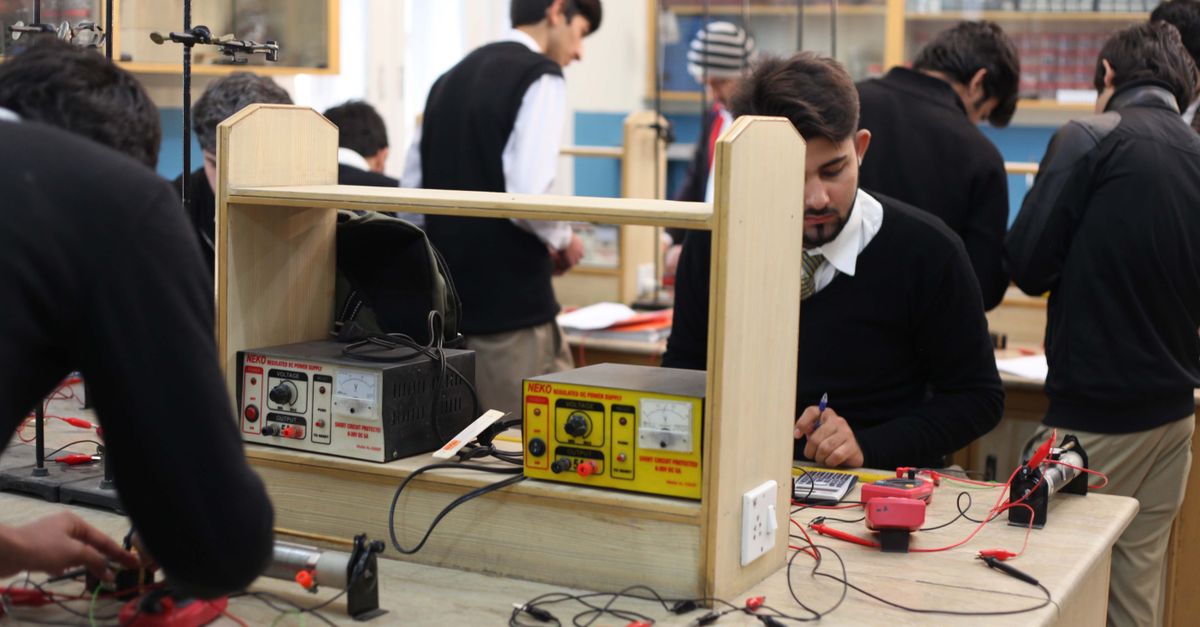
The realization did not arrive during a major administrative evaluation or a state testing cycle. It came on a quiet Tuesday afternoon in a high school physics lab. The classroom was a model of modern educational technology investment: every student sat with an active tablet, and a high definition molecular simulation was projected on the main wall. To any casual observer, the classroom was a triumph of active learning. The students were behaviorally occupied, sliding virtual sliders, watching virtual atoms collide, and collecting virtual badges as they advanced through the program’s levels.
But when the instructor walked from desk to desk to conduct individual diagnostic audits, the illusion collapsed. He asked a student a simple question: “If you increase the volume of that container on your screen, why does the temperature drop?” The student looked up from the screen, blinked, and replied: “I do not know, but if I slide this blue bar to the right, the screen turns green and I get fifty points.”
This interaction exposed the core vulnerability of the unscientific digital classroom: the gamification of the interface had completely decoupled the student’s attention from the underlying physical laws. The student was masterfully navigating the software’s user interface, but their working memory was entirely consumed by the mechanics of the game. They were playing a digital puzzle, not learning physics. They were active, but cognitively passive.
This moment of clarity forced a complete re-evaluation of the approach to technology integration. It became obvious that the superficial engagement of clicking and tapping was masking a profound state of cognitive passivity. To correct this trajectory, the instructor turned to the biological laws of human learning. By shifting the focus to the structured mechanics of memory, he began to redesign his digital classroom around the core principles of Technology and Science for Teaching. He discovered that by introducing intentional design constraints, he could force students to move past the screen’s surface and engage in deep conceptual work. This transition was not about buying new tools, but about applying a rigorous, research-backed framework to the tools already in hand. This journey of transformation led directly to the implementation of the durability framework, which serves as the foundation for modern evidence-based lesson design, ensuring that knowledge remains stable long after the digital session ends.
The Turning Point Framework: Three Shifts to Anchor Digital Focus
To rebuild a digital classroom that prioritizes actual cognitive growth, we must execute three systematic shifts in our instructional design. These shifts represent the core pillars of the Turning Point Framework: a structured methodology that aligns digital tools with the brain’s natural memory consolidation processes.
Pillar 1: From Interactive Entertainment to Epistemic Friction
In the world of user-experience design, friction is considered the ultimate evil. Tech companies spend millions of dollars to ensure their applications are as seamless, intuitive, and effortless as possible. The goal is to allow the user to navigate the software without having to stop and think. While this is an excellent strategy for consumer applications, it is a catastrophic strategy for educational environments.
The human brain is an efficiency machine: it seeks to conserve metabolic energy whenever possible. When a digital learning tool is too seamless, the brain treats the experience as low priority. This is the phenomenon of cognitive ease. Because the software makes it easy to find the correct answer through rapid trial and error or intuitive prompts, the working memory does not perform the hard work of schema construction. The student experiences an illusion of competence: they feel they understand the material because the interface was easy to navigate, but the knowledge remains highly fragile.
To combat this, we must intentionally introduce epistemic friction: design constraints that force the student to stop, reflect, and make a conscious logical decision before the technology reveals the outcome. This concept is closely related to the psychological principle of desirable difficulties.
For example, instead of allowing students to freely play with a chemistry simulation, we lock the controls. Before a student is allowed to run the simulation, they must write down a formal prediction of the outcome, identify the specific variables involved, and justify their reasoning in a shared digital document. The software becomes a validation tool rather than an entertainment device. The student’s brain must construct an internal mental model of the physical system to make the prediction, which instantly increases the depth of processing and ensures that the eventual feedback from the simulation is deeply encoded into long-term memory.
Pillar 2: From Tool Abundance to Cognitive Architecture
One of the most persistent errors in modern educational technology is the belief that more variety equals better instruction. Many teachers feel pressured to integrate a different application for every phase of the lesson: one tool for the warm-up, another for content delivery, a third for group collaboration, and a fourth for exit tickets.
This fragmentation carries a massive, hidden cost: the interface tax. Every time a student switches between different digital platforms, their brain must recalibrate to a new visual layout, a new menu structure, and a new set of interaction rules. This constant context-switching consumes a substantial portion of the student’s limited working memory.
The brain’s prefrontal cortex can only handle a small amount of information at one time. If a student is using twenty percent of their cognitive capacity just to figure out where to click on an unfamiliar application, they only have eighty percent left for the actual academic content. This is a severe threat to instructional equity, as students with slower processing speeds or executive function challenges are disproportionately disadvantaged by the digital clutter.
Mastering Digital Classroom Engagement Strategies requires a strict commitment to tool parsimony: using a minimalist, highly stable technical stack that remains consistent throughout the school year. By choosing three to five robust, versatile tools and mastering them deeply, you allow the technology to fade into the background. Once the students achieve technical fluency with the interface, the cognitive load of navigating the software drops to near zero. This frees up their entire working memory to focus on the complex, conceptual challenges of the curriculum. This principle is a cornerstone of the endurance protocol, which helps students maintain prolonged intellectual stamina during high-stakes problem solving by eliminating unnecessary digital transitions.
Pillar 3: From Passive Screen Consumption to Physical Translation (The Haptic Bridge)
Human beings did not evolve to learn about the physical world solely by staring at two-dimensional pixels on a glass screen. Our brains are deeply wired for spatial movement, physical touch, and tactile manipulation. When we restrict learning entirely to the digital space, we are ignoring a vast network of sensory pathways that could be used to anchor new memories.
The haptic-digital loop is a hybrid strategy that bridges the gap between the physical and digital environments. In this model, every phase of digital exploration is anchored by a corresponding physical task, turning the abstract screen into a tangible reality.
For instance, when students are exploring the concept of electric circuits using a high-fidelity digital simulator, they are not allowed to simply drag virtual wires on a screen. Instead, they must simultaneously build the physical counterpart of that circuit on their desks using copper tape, batteries, and small LED lights. If the physical circuit does not light up, they must use the digital simulator to diagnose the error, checking the voltage drops and resistance values in the virtual model. They then return to the physical board to correct the alignment.
This constant translation between the three-dimensional physical world and the two-dimensional digital representation forces the brain’s motor cortex, visual cortex, and logical centers to fire in unison. This multi-sensory synchronization creates highly robust, redundant neural pathways, ensuring that the conceptual knowledge is deeply integrated and far less prone to decay over time. The technology is no longer a replacement for reality, but a powerful diagnostic lens that illuminates the physical world.
Your Turn: The 7-Day Digital Engagement Challenge
Transitioning your classroom from a state of passive screen-time to active, science-backed inquiry does not require an overnight curriculum overhaul. We have designed the 7-Day Digital Engagement Challenge to help you audit your current technical usage, eliminate cognitive waste, and implement the principles of epistemic friction with minimal disruption to your daily workflow.
- Monday: Perform a Technical Stack Audit. Take twenty minutes to review every digital tool you have used in your classroom over the past month. Identify and eliminate any application that does not provide a clear, measurable return on cognitive energy. Aim to reduce your active tool stack to a maximum of four core platforms.
- Tuesday: Audit Your Slide Decks for Redundancy. Review your presentation slides for your next major lesson. Ruthlessly remove any paragraph-length text blocks that you intend to read aloud. Replace them with clean, high-resolution visual diagrams and rely on your spoken voice to deliver the verbal explanation. This instantly eliminates the redundancy effect and frees up student working memory.
- Wednesday: Implement the Prediction Rule. Choose one digital activity or simulation that you plan to run this week. Before you allow a single student to touch their device, require them to write a physical, hand-written prediction of the outcome, complete with a logical justification. This simple step introduces the necessary epistemic friction to anchor their focus.
- Thursday: Establish the Haptic-Digital Loop. Design a task where students must translate a digital finding into a physical representation. For example, have them sketch a digital graph on a mini whiteboard or construct a physical model of a chemical structure they explored on their screens.
- Friday: Conduct a Formative Signal Check. Use a simple, low-stakes digital retrieval tool at the start and end of your lesson. Look specifically for patterns in student errors rather than just overall completion rates. Use this trace data to plan your remediation for the following week.
- Saturday: Reflect on Cognitive Fatigue Patterns. Spend fifteen minutes reviewing your students’ behavior during the past week’s digital lessons. Identify the exact moments when focus began to deteriorate. Was it during a rapid context switch? Was it after twenty minutes of uninterrupted screen reading? Use this biological data to adjust your timing.
- Sunday: Prepare Your Decoupled Lesson Architecture. Design your upcoming week’s lessons using a decoupled framework, ensuring that the software manages administrative tasks while your human energy is reserved entirely for targeted, small-group coaching.
To help you evaluate the current state of your digital classroom and determine where your strategies require optimization, use the quick self-assessment table below. This matrix compares the characteristics of superficial digital engagement with those of deep, science-backed cognitive synthesis.
| Engagement Dimension | Superficial Engagement (Passive) | Cognitive Engagement (Active) |
|---|---|---|
| Student Activity Loop | Clicking, dragging, and accumulating points without prediction. | Generating logical predictions, stress-testing boundary variables. |
| Tool Stack Variety | High fragmentation with 6 to 10 apps used weekly. | Minimalist parsimony with 3 to 5 core tools mastered. |
| Information Processing | Passive screen scanning, high cognitive split-attention. | Dual coding, visual-verbal alignment, active retrieval loops. |
| Instructional ROI | High initial excitement followed by rapid conceptual forgetting. | Durable schema retention, deep conceptual cold-transfer capability. |
By analyzing this table, you can see that the path to true mastery is not about increasing the complexity of your technology, but about increasing the precision of your pedagogical design. As you proceed with the 7-day challenge, remember the fundamental rule of learning science: if the technology does the thinking for the student, no learning is occurring.
Many educators confuse behavioral engagement with cognitive engagement. A student may look busy and happy while using a highly gamified app, but if the app does not require effortful retrieval, schema building, or the application of strict scientific logic, no meaningful learning is occurring. Always prioritize tools that offer high cognitive challenge over those that offer high entertainment value. The goal is long-term mastery, not short-term amusement.
Frequently Asked Questions About Mastering Digital Classroom Engagement Strategies
What is the primary difference between behavioral engagement and cognitive engagement?
Behavioral engagement refers to the observable actions a student performs while interacting with technology, such as tapping a screen, entering data, or earning points in a gamified application. These actions can occur with very little mental processing. Cognitive engagement, on the other hand, refers to the active, effortful mental work required to build durable mental models. It involves processes like self-explanation, variable isolation, and systematic prediction. Cognitive engagement is far more labor-intensive for the brain, but it is the only form of engagement that leads to permanent changes in long-term memory.
How does the haptic-digital loop prevent digital fatigue in secondary students?
Digital fatigue is primarily caused by prolonged, uninterrupted exposure to two-dimensional visual stimuli, which overloads the brain’s visual processing centers while leaving the motor and spatial networks completely inactive. The haptic-digital loop prevents this imbalance by introducing tactile translation tasks that distribute the cognitive load across multiple sensory domains. By requiring students to periodically look away from the screen to manipulate physical objects, sketch models, or build tactile circuit boards, you allow their visual networks to rest while using physical movement to anchor the digital concepts.
How many digital tools should be in a high-performance classroom stack?
The principle of tool parsimony suggests that a high-performance technical stack should contain no more than three to five versatile, highly stable platforms. These platforms should cover the essential functions of content representation, formative diagnostic assessment, and collaborative synthesis. By keeping the variety of tools minimal, you reduce the interface tax on student working memory, allowing them to achieve technical fluency with the software so that their entire cognitive capacity can be dedicated to the academic curriculum.
Can these engagement strategies be implemented in low-resource classrooms?
Absolutely. The principles of the Turning Point Framework are based on cognitive science, not the volume of devices in your room. In fact, classrooms with limited technical resources are often better positioned to avoid the distraction of tool fragmentation. You can implement epistemic friction using a single classroom projector to display a simulation while students write their predictions on individual paper notebooks. The science of teaching is a matter of logical design, not hardware density.
Conclusion: Reclaiming Your Instructional Legacy
To successfully bridge the gap between technical potential and classroom reality, we must shift our professional identity from consumers of educational software to active engineers of the cognitive experience. The rapid evolution of classroom hardware has provided us with an unprecedented array of visual and computational tools, but these instruments are only as effective as the pedagogy that governs their use. By anchoring our digital strategies in the timeless, biological laws of the human mind, we ensure that our instructional impact is both durable and profound. As you move forward to implement these science-backed strategies in your own classroom, keep these three primary takeaways at the heart of your practice:
- Scrub the Extraneous Noise: Ruthlessly audit your digital presentation slides and student dashboards to remove any decorative graphics, redundant text, or unnecessary context-switching that drains working memory.
- Inject Epistemic Friction: Never allow students to interact with a digital simulation or active learning platform without first committing to a written, logical prediction of the outcome. Force the brain to construct a mental model before it receives feedback.
- Anchor through Physical Translation: Build haptic bridges that require students to translate their two-dimensional digital findings into physical models, hand-drawn diagrams, or kinesthetic experiments to solidify neural pathways.
If you are ready to stop chasing temporary engagement trends and start building a high-performance classroom based on proven cognitive results, the next step is to equip yourself with a complete, systematic operating system. Reclaim your professional sovereignty, save valuable preparation hours, and double your student outcomes by applying the rigorous standards of modern learning science to your digital classroom today.