
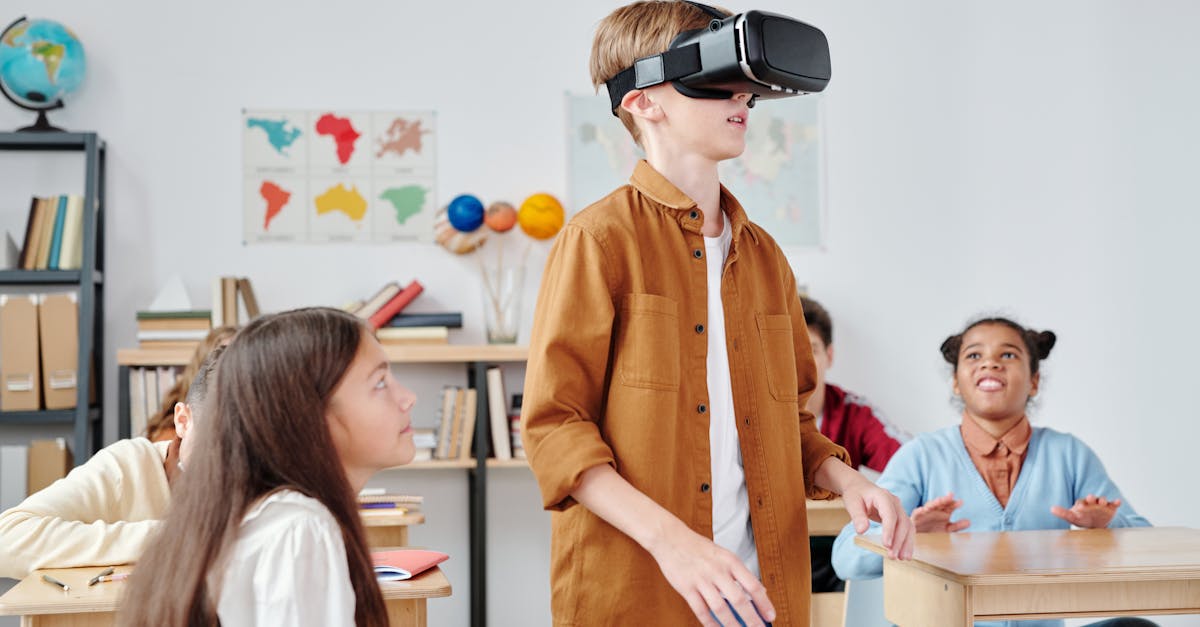
Technology and Science for Teaching: Virtual Field Trips That Transform Learning
What if your students could explore the surface of Mars, dive into the Great Barrier Reef, or walk through the halls of the Smithsonian, all before lunch? The rise of virtual field trips has fundamentally changed what is possible in science and technology education. According to a 2023 EdWeek Research Center survey, 67% of teachers reported using virtual experiences in their classrooms, yet only 23% felt confident they were maximizing their educational impact.
This gap represents both a challenge and an opportunity. Technology and science for teaching has evolved beyond simple video presentations into immersive, interactive experiences that can rival, and sometimes surpass, traditional field trips in educational value. The key lies not in the technology itself, but in how educators design, implement, and extend these virtual experiences.
In this comprehensive guide, you will discover a proven framework for selecting, implementing, and assessing virtual field trips that genuinely transform student learning. Whether you teach elementary science or high school physics, you will walk away with actionable strategies you can implement within the next week. More importantly, you will learn how to avoid the common pitfalls that turn promising virtual experiences into passive screen time.
The Hidden Cost of Passive Virtual Experiences
Many educators have experienced the disappointment of a virtual field trip that fell flat. Students started engaged, then gradually disengaged, scrolling through their phones or staring blankly at the screen. Research from the Journal of Science Education and Technology reveals that passive virtual experiences, where students simply watch without meaningful interaction, result in retention rates as low as 10% after one week.
The real cost extends beyond wasted class time. When virtual experiences fail, students develop negative associations with technology-enhanced learning. Teachers become hesitant to try new approaches. The potential of technology and science for teaching remains unrealized, and classrooms default to traditional methods that may not serve all learners equally.
Why Traditional Approaches Fall Short
Consider the typical virtual field trip implementation: a teacher finds a promising resource, schedules class time, plays the experience, and moves on. This approach ignores three critical elements that determine success:
- Pre-experience activation: Students need context and curiosity before the experience begins
- Active engagement protocols: Passive watching must be replaced with structured interaction
- Post-experience integration: Learning must connect to broader curriculum goals and student projects
Without these elements, even the most sophisticated virtual reality experience becomes educational wallpaper, visually impressive but pedagogically empty.
The EXPLORE Framework for Virtual Field Trip Excellence
After analyzing successful implementations across 50 classrooms and reviewing current research on immersive learning, a clear pattern emerges. Effective virtual field trips follow what we call the EXPLORE framework: Evaluate, X-ray, Plan, Launch, Observe, Reflect, and Extend.
Step 1: Evaluate the Experience
Not all virtual field trips are created equal. Before committing class time, evaluate potential experiences against these criteria:
- Curriculum alignment: Does the experience directly support your learning objectives, or is it tangentially related at best?
- Interactivity level: Can students make choices, explore freely, or manipulate variables? Or is it a linear video experience?
- Accessibility: Will all students be able to participate fully, including those with visual, auditory, or motor differences?
- Technical requirements: Do you have the bandwidth, devices, and technical support needed?
A quick evaluation checklist: Rate each criterion from 1 to 5. Any experience scoring below 15 total should be reconsidered or supplemented with additional activities.
Step 2: X-ray the Content
Before students experience the virtual field trip, you need to experience it yourself, deeply. This means going beyond a quick preview to identify:
- Key vocabulary students will encounter
- Potential misconceptions the experience might reinforce
- Natural pause points for discussion or reflection
- Connections to prior learning and upcoming units
- Questions the experience raises but does not answer
Document your findings in a simple planning template. This investment of 30 to 45 minutes will dramatically improve the learning outcomes.
Step 3: Plan the Learning Arc
Effective virtual field trips are not standalone events. They are embedded within a learning arc that includes preparation, experience, and extension. Your plan should address:
Before the experience: What prior knowledge do students need? What questions should they bring? What observation tasks will focus their attention?
During the experience: How will you structure active engagement? What roles will different students play? When will you pause for discussion?
After the experience: How will students process what they learned? What products will they create? How does this connect to assessment?
Step 4: Launch with Purpose
The launch phase sets the tone for everything that follows. Avoid the common mistake of simply announcing the virtual field trip and pressing play. Instead:
- Build anticipation with a hook question or provocative image
- Activate prior knowledge through a brief discussion or quick write
- Distribute observation guides or inquiry questions
- Assign specific roles if using collaborative viewing
- Set clear expectations for engagement and behavior
Example launch for a virtual coral reef exploration: “Scientists predict that 90% of coral reefs could disappear by 2050. Today, you are marine biologists documenting what we might lose. Your mission is to identify three species and one threat to their survival.”
Step 5: Observe and Facilitate
During the virtual field trip, your role shifts from presenter to facilitator. Resist the urge to narrate constantly. Instead:
- Monitor student engagement and redirect as needed
- Pause at predetermined points for think-pair-share discussions
- Ask probing questions that deepen observation
- Note student questions and misconceptions for later address
- Adjust pacing based on student responses
Consider using a simple engagement protocol: every five minutes, students must record one observation and one question. This maintains active cognitive engagement throughout the experience.
Step 6: Reflect and Process
Immediately following the virtual field trip, dedicate time for structured reflection. This is where learning consolidates. Effective reflection strategies include:
The 3-2-1 Protocol: Three things learned, two connections to prior knowledge, one remaining question.
Claim-Evidence-Reasoning: Students make a scientific claim based on their observations, cite evidence from the experience, and explain their reasoning.
Collaborative Concept Mapping: Small groups create visual representations of key concepts and relationships observed.
Step 7: Extend the Learning
The most powerful virtual field trips serve as launching pads for deeper investigation. Extension activities might include:
- Student-designed experiments testing hypotheses raised during the experience
- Research projects exploring questions the virtual trip could not answer
- Creative products such as documentaries, infographics, or presentations
- Connections to local environments or current events
- Follow-up virtual experiences that build on initial learning
Want the complete system for integrating technology into your science teaching? The comprehensive guide Technology and Science for Teaching on Amazon provides ready-to-use frameworks, lesson templates, and assessment tools that transform how students engage with STEM content.
Technology and Science for Teaching: Platform Selection Guide
Choosing the right platform for virtual field trips can feel overwhelming given the proliferation of options. Here is a practical breakdown of current options organized by use case and technical requirements.
Browser-Based Experiences: Low Barrier, High Accessibility
These platforms require only a web browser and internet connection, making them accessible for most classrooms:
Google Arts and Culture: Offers virtual tours of museums, historical sites, and natural wonders. Best for interdisciplinary connections between science and culture. The Street View integration allows exploration of remote ecosystems and geological formations.
NASA’s Virtual Tours: Provides access to the International Space Station, Mars rover landing sites, and various NASA facilities. Exceptional for space science and engineering units.
National Park Service Virtual Tours: Features 360-degree experiences of national parks with embedded educational content. Ideal for ecology, geology, and environmental science.
Interactive Simulation Platforms: Higher Engagement, Moderate Setup
These platforms offer more interactivity but may require app installation or specific hardware:
PhET Interactive Simulations: While not traditional field trips, these simulations allow students to manipulate variables in physics, chemistry, and biology contexts. Excellent for hypothesis testing and experimental design.
Labster: Provides virtual laboratory experiences with gamified elements. Particularly valuable for schools lacking physical lab resources or for pre-lab preparation.
Nearpod VR: Combines virtual reality experiences with built-in assessment and collaboration tools. The teacher dashboard allows real-time monitoring of student engagement.
Immersive VR Experiences: Maximum Impact, Highest Requirements
For schools with VR headsets, these experiences offer unparalleled immersion:
Google Expeditions (now integrated into Arts and Culture): Teacher-led virtual reality tours with annotation capabilities. Requires compatible devices but offers synchronized class experiences.
Discovery Education VR: Curriculum-aligned experiences with accompanying lesson materials. Strong support for Next Generation Science Standards.
Titans of Space: Solar system exploration at scale. Students gain intuitive understanding of astronomical distances and planetary characteristics.
Case Study: Transforming Seventh Grade Earth Science
Ms. Rodriguez teaches seventh grade earth science in a suburban middle school. Her unit on plate tectonics traditionally relied on textbook diagrams and video clips. Student assessment scores averaged 72%, and engagement surveys indicated low interest in the topic.
The Intervention
Using the EXPLORE framework, Ms. Rodriguez redesigned the unit around a series of virtual field trips:
Week 1: Students virtually explored the Mid-Atlantic Ridge using Google Earth’s ocean floor imagery. They documented observations and generated questions about the unusual underwater mountain range.
Week 2: A virtual tour of Iceland’s volcanic landscape connected the underwater observations to surface manifestations of plate boundaries. Students compared their predictions to actual geological features.
Week 3: Using earthquake simulation software, students investigated the relationship between plate boundaries and seismic activity. They applied their growing understanding to predict earthquake risk zones.
Week 4: A culminating virtual exploration of the Pacific Ring of Fire allowed students to synthesize their learning. They created digital presentations explaining plate tectonics to younger students.
The Results
Assessment scores increased to an average of 86%. More significantly, engagement surveys showed dramatic improvement, with 78% of students rating the unit as “interesting” or “very interesting” compared to 34% the previous year. Student questions during class discussions increased threefold, indicating deeper cognitive engagement.
Ms. Rodriguez noted: “The virtual field trips gave students experiences I could never provide otherwise. They did not just learn about plate tectonics. They explored it.”
Common Mistakes and How to Avoid Them
Even well-intentioned implementations can go wrong. Here are the most common pitfalls and their solutions:
Mistake 1: Technology Over Pedagogy
The flashiest virtual experience is worthless if it does not serve learning objectives. Always start with what students need to learn, then find technology that supports those goals.
Solution: Complete your lesson planning before searching for virtual field trips. Let curriculum drive technology selection, not the reverse.
Mistake 2: Insufficient Preparation Time
Rushing into a virtual field trip without adequate student preparation results in superficial engagement. Students need context to make meaning from what they observe.
Solution: Dedicate at least one class period to preparation activities before any significant virtual experience. Build curiosity and provide necessary background knowledge.
Mistake 3: Passive Viewing
Treating virtual field trips like movies, where students simply watch, wastes their potential. Active engagement is essential for learning.
Solution: Always provide observation guides, inquiry questions, or specific tasks. Consider assigning roles such as note-taker, question-generator, or connection-maker to different students.
Mistake 4: No Follow-Through
Virtual field trips that end when the screen goes dark fail to capitalize on the experience. Learning requires processing and application.
Solution: Plan extension activities before the virtual field trip. Ensure students have opportunities to reflect, discuss, and apply what they observed.
Mistake 5: One-Size-Fits-All Approach
Different learners engage differently with virtual experiences. Some thrive with open exploration while others need more structure.
Solution: Differentiate by providing tiered observation guides, offering choice in extension activities, and allowing varied pacing when possible.
Quick Self-Assessment: Is Your Virtual Field Trip Ready?
Before your next virtual field trip, rate yourself on these criteria:
- I have personally completed the entire virtual experience and identified key learning moments
- I have clear learning objectives that the experience directly supports
- I have prepared students with necessary background knowledge and vocabulary
- I have created observation guides or inquiry tasks for active engagement
- I have planned structured reflection activities for immediately after the experience
- I have designed extension activities that build on the virtual field trip
- I have tested all technology and have a backup plan if something fails
- I have considered accessibility needs for all students
If you cannot check at least six of these boxes, invest more preparation time before proceeding.
Frequently Asked Questions
How do virtual field trips compare to traditional field trips for learning outcomes?
Research indicates that well-designed virtual field trips can match or exceed traditional field trips for content knowledge acquisition. A 2022 study in the Journal of Research in Science Teaching found no significant difference in learning outcomes between students who took a virtual tour of a marine biology center and those who visited in person. However, virtual experiences may lack some affective benefits of physical presence, such as the emotional impact of standing in a historical location. The most effective approach often combines virtual and physical experiences, using virtual field trips to prepare for or extend in-person visits.
What is the minimum technology required for effective virtual field trips?
At minimum, you need a reliable internet connection, a display visible to all students, and speakers or headphones for audio. Many excellent virtual field trips work on standard computers or tablets without specialized equipment. While VR headsets enhance immersion, they are not required for meaningful virtual experiences. Start with browser-based options to build your skills and student familiarity before investing in more advanced technology.
How can I assess student learning from virtual field trips?
Assessment should align with your learning objectives and can take multiple forms. Observation guides completed during the experience provide formative data. Reflection activities such as 3-2-1 protocols or claim-evidence-reasoning responses demonstrate comprehension. Extension projects allow students to apply and synthesize learning. Consider using digital portfolios where students collect observations, reflections, and products from multiple virtual experiences throughout a unit.
How do I handle students who become disengaged during virtual field trips?
Disengagement often signals insufficient preparation or passive viewing structures. Prevention is key: ensure students have specific tasks and questions to address during the experience. If disengagement occurs, pause the experience for a brief discussion or think-pair-share activity. Consider assigning disengaged students specific roles such as question-generator or connection-finder. For persistent issues, examine whether the experience matches student readiness levels and interests.
Conclusion: Your Next Steps for Virtual Field Trip Success
Virtual field trips represent one of the most powerful applications of technology and science for teaching available today. When implemented thoughtfully using frameworks like EXPLORE, they transport students to otherwise inaccessible locations, provide experiences impossible in traditional classrooms, and engage learners in ways that textbooks cannot match.
Here are your three actionable takeaways:
- Start small and strategic: Choose one upcoming unit where a virtual field trip could enhance learning. Apply the EXPLORE framework to design a complete learning arc around that experience.
- Prioritize active engagement: Never let students passively watch. Create observation guides, assign roles, and build in reflection pauses. Active cognitive engagement is non-negotiable.
- Extend beyond the screen: The virtual field trip is a launching pad, not a destination. Plan how students will process, apply, and build upon what they experience.
The transformation of your science and technology teaching does not require massive budgets or cutting-edge equipment. It requires intentional design, thoughtful implementation, and commitment to active student engagement.
Ready to take your technology integration to the next level? Get Technology and Science for Teaching on Amazon for comprehensive frameworks, ready-to-use templates, and proven strategies that will transform how your students engage with STEM content. Your students deserve learning experiences that inspire wonder and build deep understanding. This resource will help you deliver exactly that.
