Best Tech Tools for Science Teachers in 2026
Why is it that in an era of unprecedented technical abundance, student proficiency in higher order scientific reasoning remains volatile? Global educational audits show that while digital classroom spending has risen by more than 35 percent over the last decade, the ability of students to independently construct valid experimental models has actually declined. The problem is not a lack of hardware: it is the lack of a rigorous, pedagogically sound framework for technology integration. In the modern science lab, finding the Best Tech Tools for Science Teachers in 2026 is no longer about locating the flashiest software or the most colorful simulation. Instead, it is about identifying tools that act as cognitive amplifiers: devices and platforms that manage cognitive load, isolate critical variables, and reveal the invisible processes of student thinking. This comprehensive guide details how to move from passive screen consumption to active scientific discovery, ensuring that every digital tool you deploy results in permanent, transferable conceptual mastery.
By shifting our perspective from tool novelty to cognitive engineering, we can design labs and lectures that respect the biological laws of learning. This article introduces a systematic, myth-busting approach to scientific technology, followed by a deep dive into the Epistemic Calibration Protocol: our proprietary framework for scaling technical complexity. We will evaluate the highest-performing categories of tools for data logging, vector visualization, and boundary simulation, concluding with a 48-hour implementation plan that you can use immediately. Reclaiming your instructional sovereignty starts with a simple choice: we must stop using technology to entertain our students, and start using it to challenge their mental models.
Why Flashy Apps Fail and What Makes the Best Tech Tools for Science Teachers in 2026 Truly Effective
Before we can build a high-performance instructional stack, we must dismantle the misconceptions that currently govern science department budgets. Many schools fall into the trap of purchasing software based on marketing demonstrations rather than empirical cognitive science. To establish systemic reliability, we must analyze the three most pervasive myths holding educators back from utilizing the Best Tech Tools for Science Teachers in 2026 effectively.
Myth 1: Virtual Simulations Can Completely Replace Tactile Labs
There is a growing belief among administrative bodies that high-fidelity digital simulations are equivalent to physical, hands-on experimentation. The underlying assumption is that because a student can drag a digital slider to observe a change in gas volume, they have processed the concept of pressure as deeply as a student working with a physical piston. Cognitive science reveals this to be a profound error: a phenomenon known as the sensory severance trap. Physical experimentation involves tactile resistance, minor mechanical failures, and environmental noise that force the biological brain to engage in active problem solving. When a student spills a solution, misreads a meniscus, or struggles to seal a gas syringe, they are experiencing desirable difficulties: cognitive friction that primes the neural pathways for deep encoding. Virtual simulations are indispensable for making the invisible visible, but they must be used as conceptual precursors or analytical extensions, not as total replacements for physical touch.
Myth 2: Real-Time Telemetry Eliminates the Need for Hypothesis Building
Many modern science probes and digital sensors provide instantaneous data plotting. The moment a student drops a temperature probe into a beaker, a beautiful, high-resolution curve appears on their screen. While this efficiency is valuable, it often triggers the answer-first fallacy. When the technology does the hard work of gathering, organizing, and plotting the data simultaneously, the student’s brain defaults to a passive monitoring state. They are no longer predicting the shape of the curve: they are simply watching it happen. To make these sensors effective, we must insert a predictive gate: a mandatory, non-negotiable step where students must sketch their predicted curve on paper before the sensor is activated. The technology should verify or challenge a mental model, not prevent the model from being built in the first place.
Myth 3: Science Tools Must Be Highly Specialized to Be Pedagogically Useful
Educators often believe that to teach advanced science, they need niche, domain-siloed software programs that require weeks of specialized training. In reality, the most durable cognitive gains are achieved through tool parsimony: using a minimalist, highly versatile set of general-utility platforms. Tools that allow for non-linear schema mapping, video analysis, and raw spreadsheet manipulation are far superior to highly gamified, closed-loop science applications. General tools force students to build their own logical structures rather than navigating a pre-designed pathway. When a student learns to use a spreadsheet to model a thermodynamic system, they are acquiring a transferable, high-resolution skill that they can apply across biology, chemistry, and physics. Our goal is to train students to think like scientists, not to become proficient operators of specialized school software.
Implementing the Best Tech Tools for Science Teachers in 2026 Across Multiple Cognitive Levels
To integrate technology with scientific rigor, we utilize our proprietary Epistemic Calibration Protocol (ECP). This framework is designed to align your technical tools with the student’s current level of prior knowledge, ensuring that we never introduce interface complexity before conceptual stability is achieved. By organizing our instructional stack into three distinct phases, we can systematically move students from basic sensory observation to advanced forensic analysis.
Phase 1: Sensory Anchoring (Beginner Level)
At the beginner level, the primary cognitive challenge is abstract vocabulary and invisible mechanisms. A student cannot construct a logical mental model of what they cannot perceive. During this phase, we use technology exclusively to anchor abstract concepts in visual and spatial realities. The focus here is on the Dual Coding Theory: presenting visual representations alongside verbal definitions to double the pathways for memory retrieval. The tools deployed during this phase should be highly visual, low-friction, and focused on single-variable relationships.
For example, when introducing the concept of cellular respiration, rather than starting with a chemical equation, use a high-fidelity visual simulator to show glucose molecules physically breaking apart inside a virtual mitochondrion. The student’s task at this level is qualitative observation: they are mapping the visual signal to the scientific vocabulary. To understand how to manage this initial phase of instruction, see our complete educator’s guide on technology and science for teaching, which outlines the foundational steps for building a resilient digital-analog hybrid environment.
Phase 2: Variable Isolation (Intermediate Level)
Once students possess a stable sensory anchor, they must learn to analyze the relationships between different physical properties. This is the transition to intermediate mastery, where we introduce tools that allow for multi-variable manipulation. At this stage, the student must learn to isolate variables, establish controls, and predict outcomes under boundary constraints. The technology serves as a laboratory playground where students can test hypotheses at a high frequency.
During Phase 2, we use interactive simulation engines. For instance, in a physics unit on kinematics, students manipulate gravity, mass, and air resistance to observe the trajectory of a projectile. The critical action step in this phase is the execution of a Discrepancy Audit. If the digital simulation contradicts the student’s physical prediction, the student must write a short, two-sentence justification explaining *why* their mental model failed to predict the simulation’s outcome. This process of effortful correction is the exact mechanism by which scientific schemas are refined and consolidated.
Phase 3: Forensic Synthesis (Advanced Level)
At the advanced level, the technology becomes a raw diagnostic instrument. We remove the polished, idealized simulations and introduce students to real-world, noisy data. The cognitive challenge in Phase 3 is forensic synthesis: the ability to analyze complex datasets, identify patterns, and defend a scientific conclusion using empirical evidence. The tools deployed here are open-ended analysis systems, such as kinetic tracking software, vector mapping tools, and data-logging probes.
For example, instead of watching a clean video of a pendulum, advanced students use video analysis software to plot the frame-by-frame acceleration of a physical weight they have swung in the classroom. They must export this raw data into a spreadsheet, manage the experimental errors, and write their own mathematical formulas to model the system’s energy decay. This is the highest level of epistemic agency: the student is no longer consuming a pre-packaged lesson: they are actively engineering a scientific proof. To scale this advanced cognitive retrieval process, you can consult our extensive guide on technology and science for teaching active retrieval.
| ECP Phase | Primary Tool Class | Cognitive Goal | Interface Friction |
|---|---|---|---|
| Phase 1: Sensory Anchoring | High-Contrast Visual Animators | Schema construction and vocabulary mapping | Extremely low (Zero login required) |
| Phase 2: Variable Isolation | Boundary-Constrained Simulators | Hypothesis testing and discrepancy audits | Low to moderate (Self-guided navigation) |
| Phase 3: Forensic Synthesis | Raw Telemetry probes & Spreadsheets | Error management and mathematical modeling | High (Complex data curation and coding) |
The Starter Toolkit: Best Tech Tools for Science Teachers in 2026
To implement the Epistemic Calibration Protocol effectively, you need a curated set of tools that prioritize scientific logic over aesthetic distraction. The following toolkit evaluates the highest-performing digital systems available for science educators today, organized by their cognitive function. Each tool class is selected for its ability to reduce administrative overhead and maximize student mental labor.
Tool Class 1: Handheld Telemetry and Sensor Systems
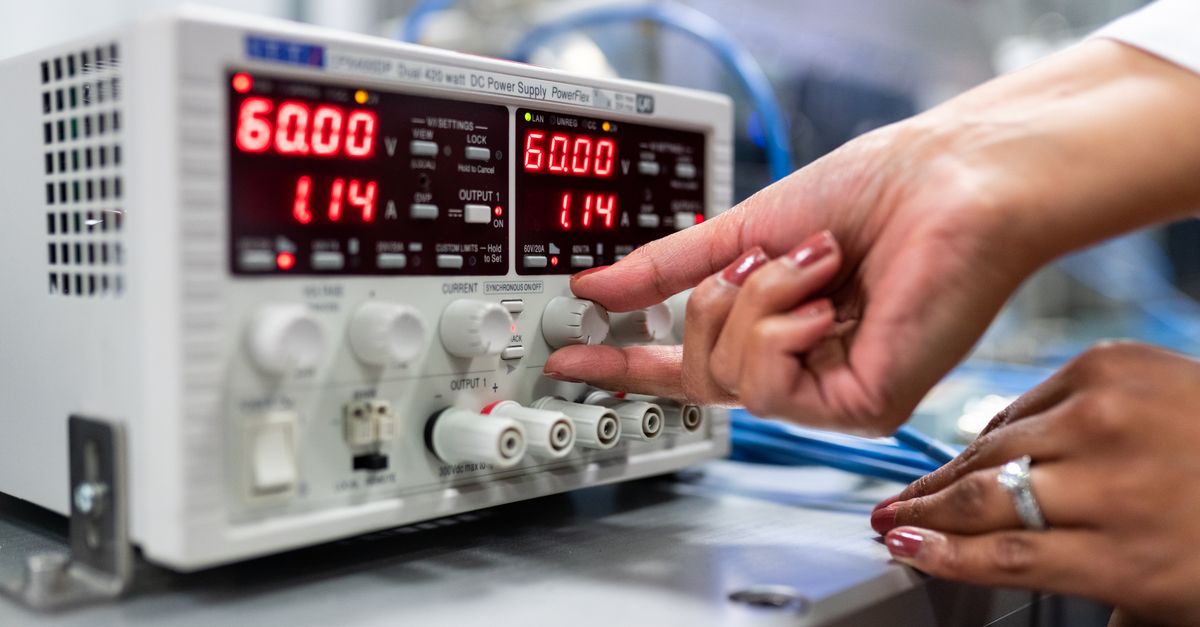
The standard chemistry or physics lab often relies on manual thermometer readings or analog pressure gauges. While these have historical value, they limit the speed and volume of data collection. Handheld telemetry systems (such as Bluetooth-enabled temperature, pH, force, and light probes) allow students to gather thousands of precise data points in real-time. These tools are highly effective because they remove the mechanical burden of data collection, allowing students to focus their limited cognitive energy on data analysis.
- Primary Use Case: Tracking fast-acting endothermic and exothermic reactions in chemical kinetics labs.
- Quick Start Tip: Never let students activate the sensor immediately. Require them to draw their expected graph line on a physical dry-erase board first. The sensor’s primary role is to verify or shatter that physical prediction.
Tool Class 2: Vector-Kinematic Video Analyzers
Kinematics is a notoriously abstract area of physics: terms like velocity, acceleration, and displacement often blur together in a student’s mind. Vector-kinematic video analyzers (such as digital video tracking applications) allow students to record any moving object on a smartphone and plot its position frame-by-frame. The software automatically calculates vectors, showing velocity and acceleration arrows directly overlaid on the moving object. This bridges the gap between physical motion and mathematical representation instantly.
- Primary Use Case: Analyzing the trajectory and velocity changes of a basketball shot or a swinging pendulum.
- Quick Start Tip: Have students film their own movements rather than using pre-recorded videos. Analyzing a peer’s motion increases personal relevance and focus significantly.
Tool Class 3: Dynamic Boundary Simulators
When physical limitations prevent real-world labs (such as studying gas behaviors at extreme temperatures or modeling plate tectonics over millions of years), dynamic boundary simulators are essential. These platforms (such as the interactive science models from PhET or virtual geology labs) allow students to manipulate variables that are impossible to control in a high school classroom. They are highly valuable because they isolate the core relationships of a system, preventing extraneous variables from causing confusion during the initial phases of learning.
- Primary Use Case: Manipulating pressure, volume, and temperature to independently derive the Ideal Gas Law.
- Quick Start Tip: Implement a double-blind challenge: set up a mystery parameter in the simulation and have students work backward to identify the hidden constant using the simulator’s measurement tools.
Tool Class 4: Collaborative Non-Linear Mapping Environments
Scientific understanding is not a linear list of facts: it is a complex, web-like network of cause-and-effect relationships. Collaborative digital whiteboards (such as Miro, Lucidchart, or collaborative canvas spaces) function as external cognitive hard drives where student teams can co-construct their mental models in real-time. These environments are highly effective because they make the students’ organizational logic visible, allowing the teacher to perform a forensic audit of their thinking without waiting for a written report.
- Primary Use Case: Constructing ecological food webs or tracing the bio-geochemical pathways of carbon and nitrogen.
- Quick Start Tip: Provide a partially completed concept map template where 40 percent of the connecting verbs are missing. Students must defend their choices of linking words to complete the map.
Many teachers purchase science software that requires students to create usernames, remember passwords, and navigate complex, multi-layered dashboards. This is an interface tax: a drain on the working memory that reduces the energy available for scientific thought. Always select tools that require the fewest clicks to reach the core inquiry task. Ideally, a student should be able to open their device and engage with the scientific phenomena in under 90 seconds.
A Quick Self-Assessment: Is Your Science Stack Optimized?
Take three minutes to audit your current technical integration. Rate each of the following statements on a scale of 1 (rarely true) to 5 (consistently true):
- Hypothesis Priority: Students commit to a written prediction before they touch any sensor or run any simulation.
- Interface Efficiency: Students can access and begin their primary digital inquiry task in under two minutes from turning on their devices.
- Tacit Integration: Digital tools are paired with a physical, hands-on counterpart to engage motor-sensory pathways.
- Diagnostic Precision: The data generated by classroom technology reveals the student’s *process of thinking* rather than just a final correct answer.
- Cognitive Leverage: Technology is used to automate administrative work (like plotting data) to buy back time for high-level synthesis and debate.
If your total score is below 18, your technology stack is likely acting as a source of cognitive friction. Realigning your tools with the Epistemic Calibration Protocol will immediately reduce classroom management stress and increase student retention.
Frequently Asked Questions
What is the biggest indicator of a failed technology implementation in a science classroom?
The most reliable indicator of failure is the conversation-to-concept ratio. If you walk into a lab and the students are talking about how to log in, how to drag a slider, or how to save their file, the technology has failed. In a science-backed classroom, the technology must be invisible. The conversation in the room must be about the variable, the force, the molecule, or the chemical reaction. If the tool itself is the subject of the lesson, you have crossed the line from science instruction into software troubleshooting.
Can these high-performance strategies work in schools with limited device access?
Absolutely. The principles of the Epistemic Calibration Protocol are technology-agnostic. If you only have one projector screen in your room, you can still facilitate a high-fidelity feedback loop. You run the simulation as a whole-class inquiry, requiring every student to record their individual predictions in physical notebooks before you reveal the digital result. In low-resource settings, each digital interaction must be of even higher quality because the resource is scarce. Focus on the sequence of learning: elicit the prior, present the evidence, require the update: regardless of how many screens are in the room.
How do I handle parents and administrators who demand constant use of high-tech tools?
Professional authority is built on scientific data. When stakeholders ask why your students are using whiteboards and physical pistons instead of VR headsets, show them your data on cognitive load and retention. Explain that you use technology with surgical precision: deploying it to make abstract concepts visible during Phase 1, and to analyze complex datasets in Phase 3. Show them that your student-led labs result in deeper understanding because you manage the interface tax. True professionalism is the ability to defend your pedagogical choices using the laws of human learning science.
How do these tools support neurodivergent students and students with learning accommodations?
The Best Tech Tools for Science Teachers in 2026 are inherently inclusive because they support Universal Design for Learning (UDL). By providing visual, tactile, and mathematical representations of the same phenomenon, we allow different brains to find their optimal entry point into a concept. A student with processing challenges may use an interactive visual simulation to grasp the big-picture mechanism of a force, while an advanced student can move directly to the vector mathematical model. The technology allows us to differentiate the scaffold without lowering the scientific standard.
Conclusion: Reclaiming Your Instructional Sovereignty
The transition to a science-backed, logic-first classroom is the most significant leap you can make in your teaching career. By moving away from superficial screen time and embracing the rigorous principles of the Epistemic Calibration Protocol, you protect your students from digital exhaustion and your career from professional burnout. You are no longer a mere manager of educational software: you are an instructional architect building a high-performance environment for the human mind. The integration of technology and science is a discipline that rewards precision, simplicity, and empirical results. To begin your journey toward technical sovereignty today, focus on these three primary actions:
- Perform a Friction Audit: Review your primary tech tools this week and remove any platform that requires more than three clicks to access the academic content.
- Implement the Predictive Gate: In your next simulation or sensor lab, forbid students from activating the device until they have hand-drawn their predicted outcome.
- Consolidate Your Stack: Choose three versatile, high-resolution tools (such as one data logger, one vector tracker, and one concept mapper) and use them consistently to build student fluency.
The future of science education belongs to those who can bridge the gap between digital capability and the biological constants of human learning. You possess the passion, and now you possess the framework. Lead the shift in your school and become the instructional leader your students deserve.
Get Technology and Science for Teaching on Amazon today and transform your classroom outcomes with precision and confidence.