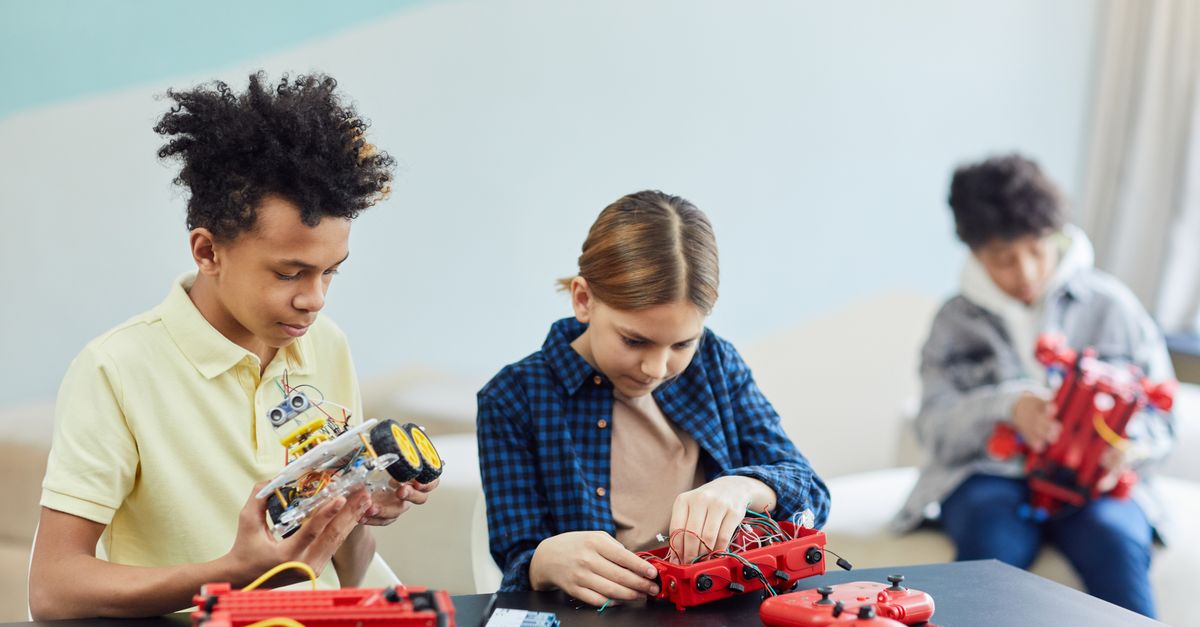
Smart Science Tools for Teachers
Why is it that schools equipped with identical tablets, high-speed fiber networks, and interactive displays frequently produce vastly different outcomes in scientific reasoning? Recent global educational data indicates that while over 85.0% of classrooms in developed nations have achieved a one-to-one device-to-student ratio, the rate of deep conceptual retention in science subjects has remained largely unchanged. This statistical disconnect represents a critical structural flaw in modern educational engineering: the wholesale adoption of applications based on visual novelty rather than cognitive alignment. The integration of Smart Science Tools for Teachers is not a simple catalog of trending digital games or administrative classroom organizers. Instead, it is a strategic inquiry into how specific software and hardware architectures can act as cognitive amplifiers when combined with the biological realities of human memory. By moving away from passive screen consumption and toward systematic, tool-based inquiry, educators can transform these digital devices from distraction machines into high-precision scientific instruments. This comprehensive guide provides the strategic framework required to select, deploy, and master the best educational tools to build durable mental models and long-term analytical independence.
Why Traditional Labs Fail without Smart Science Tools for Teachers
Before exploring solutions, we must confront an uncomfortable reality: traditional science instruction is failing to prepare students for the complex analytical demands of the modern world. The National Research Council reports that a significant percentage of students demonstrate proficiency in memorizing scientific facts while lacking the ability to design a controlled experiment or analyze raw data. This discrepancy is driven by the limits of human working memory when faced with abstract physical laws.
When students are forced to manage complex physical apparatus, record manual measurements, and visualize molecular-scale events simultaneously, they experience severe cognitive overload. Their working memory becomes consumed by the mechanical details of the lab, leaving no residual processing capacity for the underlying scientific principles. This is where the strategic deployment of smart science tools becomes a pedagogical necessity: not to make the learning easier, but to make the thinking deeper. By offloading low-level administrative and recording tasks to digital sensors and interactive models, we free up critical cognitive real estate for high-level synthesis and critical inquiry.
However, simply adding screens to a classroom does not solve this problem. If the digital tools are deployed as high-tech versions of paper worksheets, they carry a hidden cost: cognitive leakage. Students spend their valuable learning time navigating confusing menus, managing multiple logins, and troubleshooting interface glitches. To achieve true instructional precision, we must align our technical choices with the proven laws of cognitive science, ensuring that every digital tool serves as a transparent window to the scientific phenomenon under investigation.
3 Myths Holding You Back on Technology and Science for Teaching
To master the modern educational environment, we must first dismantle the systemic myths that govern digital instruction. These misconceptions create a state of professional burnout and student fatigue by forcing educators to work against the biological laws of learning. To master the art of instruction, we must replace these industrial-era habits with evidence-based protocols.
Myth 1: Screen-Based Simulations Can Fully Replace Tactile Laboratories
The Myth: Many administrators and ed-tech advocates argue that virtual labs are a complete, cost-effective replacement for physical laboratories, claiming that students can learn all necessary scientific concepts on a digital screen.
The Reality: Interactive screens represent closed, mathematically perfect models, whereas actual physical labs teach students to manage unpredictable, messy environmental noise. When students interact only with simulations, they develop a distorted view of the scientific process. They learn that experiments always work perfectly, that variables are easily isolated, and that data never contains anomalies. In physical reality, a scientist must calibrate instruments, manage material constraints, and account for friction, heat loss, and human error. Virtual tools should prep students for physical labs or help them visualize invisible forces, but they can never fully replace the sensory intuition gained from physical, tactile interaction.
Myth 2: Gamification is the Only Way to Engage Modern Learners
The Myth: It is widely believed that modern students have shorter attention spans and require extensive gamification, including points, badges, leaderboards, and animated avatars, to remain engaged in science lessons.
The Reality: Gamification often creates superficial engagement, which is a form of dopamine-driven compliance, while actually distracting from deep conceptual changes. If a student is spending more time planning their digital avatar’s appearance or calculating how to climb a leaderboard than they are solving scientific problems, the tool is failing. This phenomenon, known as the split-attention effect, depletes the limited resources of the working memory. True engagement is cognitive: it occurs when a student experiences a genuine breakthrough in understanding a complex system. Prioritize tools with minimalist interfaces that emphasize the beauty of the data and the logic of the subject rather than visual noise.
Myth 3: High-Quality Sensor Integration Requires Expensive Budgets
The Myth: Many science departments avoid integrating digital probes and real-time sensors because they believe they must purchase expensive, proprietary packages that require specialized school funding.
The Reality: Excellent open-source platforms, mobile applications, and micro-controllers can turn any basic classroom device into a high-precision sensor suite for a fraction of the cost of legacy equipment. By utilizing built-in smartphone sensors (such as accelerometers, magnetometers, and light sensors) or using low-cost open-hardware platforms, teachers can implement rigorous, real-time data collection in any environment. The barrier is not financial: it is pedagogical. With the right instructional scaffolding, a ten-dollar temperature probe can produce a level of scientific reasoning that rival high-end university laboratories.
Here is what actually works: shifting from a tool-based mindset to an ecological mindset, where technology serves as a bridge between the student and the complexity of the physical world.
The Technology and Science for Teaching Deep Dive
To transition from a state of digital distraction to a state of instructional precision, we must understand the three levels of implementation within the classroom. These levels move from the foundational setup of the environment to the advanced optimization of student cognitive performance, ensuring that mastering technology and science for teaching remains grounded in biological reality.
Level 1: Beginner (Managing Latency and Cognitive Friction)
At the beginner level, the focus is on the metric of latency: the time it takes for a student to respond to a conceptual prompt, as well as the interface friction of the software. In a traditional classroom, we focus on whether a student is right or wrong. In a high-resolution, predictive classroom, we focus on the speed of the response. If a student answers a question correctly but takes ninety seconds to process the logic, their knowledge is fragile. They are likely using a high amount of working memory to compensate for a weak schema. This student is at high risk for conceptual collapse in the next unit.
The Analogy: Think of the software interface as a windowpane. If the windowpane is dirty, covered in complex menus, and filled with decorative animations, you cannot see the science outside. The interface must become invisible so that all of the student’s working memory can be directed toward the scientific concept.
Pro Tip: Use simple, retrieval-focused digital tools that track response times. Identify the students who are correct but slow. This is your predictive signal. Instead of moving these students to advanced material immediately, provide them with targeted retrieval tasks to build their fluency and automaticity before introducing more complex variables.
Level 2: Intermediate (Active Retrieval and Variable Manipulation)
At the intermediate level, we transition from passive information consumption to active variable manipulation. The goal here is to introduce desirable difficulties: structural scaffolds that require the brain to perform effortful retrieval, which is the exact neurological mechanism that strengthens synaptic pathways and transitions information into long-term storage.
The Analogy: A pilot does not learn to fly by reading a manual: they use a flight simulator. The simulator must allow them to make mistakes, crash the plane, and observe the consequences in real time without physical danger. Similarly, intermediate science tools must act as sandbox environments where students can test physical laws and observe the consequences of their decisions.
Pro Tip: Never allow students to interact with a digital simulation or run an automated calculation until they have written down their logical predictions in an analog journal. This simple intervention forces the brain to commit to a hypothesis, which dramatically increases the cognitive impact of the subsequent simulation. It changes the student from a passive clicker to an active scientific investigator.
Level 3: Advanced (Epistemic Agency and Forensic Data Audits)
At the advanced level, students achieve epistemic agency: the ability to take complete ownership of their own knowledge-building process. They move away from pre-packaged, clean laboratory tasks and begin conducting forensic data audits on real-world phenomena. The technology is no longer a scaffold: it is the instrument. The focus shifts to project management, data integrity, and cross-domain synthesis.
The Analogy: The student moves from being a passenger in the learning vehicle to being the pilot. They must navigate real-world data noise, identify anomalies, and justify their conclusions using evidence gathered across multiple tools.
Pro Tip: Implement cold transfer tasks where the digital tools are completely removed. If a student can model a chemical bond on a digital coordinate system but cannot explain the same relationship using a dry-erase board and their voice, they have only mastered the tool, not the concept. True mastery is substrate-independent: the mental map must eventually exist entirely within the student’s brain.
Your Smart Science Tools for Teachers Starter Toolkit
To build a high-performance classroom, you must select applications that prioritize raw scientific logic over superficial aesthetics. The following table provides a comparative analysis of the three primary tool categories you should integrate into your instructional stack.
| Tool Category | Primary Cognitive Function | Interface Noise Level | Ideal Implementation Phase |
|---|---|---|---|
| Simulation Workspaces | Visualizing molecular-scale or astronomical events | Low (Minimal menus, direct variable manipulation) | Pre-lab conceptual encoding |
| Digital Sensor Interfaces | Capturing real-world variables with high-resolution data | Medium (Requires basic calibration protocols) | Active laboratory investigation |
| Retrieval Platforms | Building schema automaticity via spaced testing | Zero (Text or minimalist card design) | Daily bell-ringer or post-unit review |
1. Simulation Workspaces (e.g., PhET Interactive Simulations)
PhET, developed by the University of Colorado Boulder, provides research-based, free simulations for physics, chemistry, biology, and earth science. It stands as a gold standard in Smart Science Tools for Teachers because it completely removes decorative animations and focus-disrupting menus, allowing the student to interact directly with variables like temperature, friction, or gravity.
- Use Case: Use prior to a physical laboratory to build conceptual schema. For example, have students build a virtual circuit to understand the inverse relationship between resistance and current before they touch actual physical wires.
- Quick Start Tip: Implement a “No-Instruction” session. Give students the simulation link and a single prompt: “Find the mathematical relationship between variable A and variable B.” Let them discover the physical law through raw variable manipulation.
2. Digital Sensor Interfaces (e.g., Physics Toolbox Sensor Suite)
Physics Toolbox turns any standard smartphone into a mobile science laboratory, giving students access to the device’s built-in sensors (accelerometers, magnetometers, barometers, and light meters). This tool completely bypasses the need for expensive, single-purpose proprietary hardware.
- Use Case: Real-time kinematic and environmental logging. Students can record acceleration profiles on a physical roller coaster, map magnetic fields around common electronic devices, or measure changes in atmospheric pressure at different altitudes.
- Quick Start Tip: Have students run a “Friction Audit” of different floor surfaces in the school. They place their device on a flat wooden block, pull it across carpet, tile, and concrete, and analyze the resulting acceleration spikes to determine the coefficient of static friction.
3. Spaced-Repetition Retrieval Systems (e.g., Anki)
Anki is an open-source flashcard platform that uses a sophisticated spaced-repetition algorithm to schedule reviews based on the biological limits of human forgetting. By forcing active, effortful recall at the precise moment of memory decay, it builds the deep conceptual automaticity required for complex scientific reasoning.
- Use Case: Mastering structural vocabulary, chemical symbols, math formulas, or anatomical structures. This is a vital mechanism for reducing cognitive load: if a student has memorized the periodic table symbols, their brain has more bandwidth to calculate chemical formulas.
- Quick Start Tip: Create a shared, class-wide deck containing the core conceptual structures of your current unit. Dedicate the first five minutes of each period to daily retrieval sprints, monitoring the class heatmap to identify which concepts are decaying the fastest.
A frequent error when selecting smart science tools is prioritizing visual complexity and high-definition 3D animations over simple, interactive data models. Just because a simulation features movie-quality graphics does not mean it is teaching science. Often, the visual spectacle creates so much sensory noise that the student misses the underlying mathematical principle. Always choose tools that prioritize the logic of the system over the decoration of the interface. If the “cool factor” does not lead to a logical update in the student’s mental model, it is a distraction, not a tool.
How to Implement Smart Science Tools for Teachers
To successfully integrate these smart science tools without overwhelming your students or your weekly prep schedule, we must deploy a structured integration strategy. This approach is essential for scaling institutional mastery across entire departments, ensuring that the technology is treated as an environmental variable that must be optimized for semantic fidelity.
The Tri-Phase Cognitive Integration Blueprint
The most effective practitioners do not use digital tools as a standalone method. Instead, they synthesize them with physical and analog anchors. This hybrid strategy ensures that the technology remains a high-fidelity lens to analyze physical reality, rather than a separate, abstract workspace.
- Phase 1: Tactile Investigation (Analog Anchor)
Every digital science lesson should begin with a sensory anchor. This is a physical or analog experience that prepares the brain for digital synthesis. If the lesson involves virtual models of thermodynamics, begin by having students hold a physical ice cube in their hands, feeling the heat transfer from their skin. This creates a concrete neural scaffold that the digital information can latch onto, ensuring that the biological always precedes the digital.
- Phase 2: Digital Catalyst (High-Volume Synthesis)
Once the sensory anchor is established, the digital catalyst is introduced. This is where we leverage the speed and scale of smart science tools. Students use interactive simulations or real-time digital sensors to analyze the physical event they just experienced. During this phase, the teacher uses real-time response data to monitor student understanding, pivoting immediately if the data shows a spike in confusion at a particular step.
- Phase 3: Metacognitive Refraction (Mastery Verification)
The final phase returns to the human element through an active synthesis task. Students move away from the screens to discuss, write, or build physical models based on their digital exploration. The goal here is metacognitive refinement: reflecting on what they learned and identifying any logic breaks where their digital model diverges from physical reality. This ensures that the knowledge becomes durable, transferable, and completely independent of the software.
Case Study: The Exothermic Heat Transfer Lab Redesign
To demonstrate the efficacy of this hybrid approach, let us review the performance of a secondary chemistry course studying exothermic chemical reactions. Under the traditional digital-only model, students completed a series of virtual lab modules, sliding virtual chemicals into a virtual beaker and reading the digital temperature outputs. While students completed their tasks rapidly, their subsequent scores on a hands-on chemical diagnostic exam averaged a mediocre 52.0%.
The course was redesigned using the Tri-Phase Cognitive Integration Blueprint. Students were provided with physical test tubes, yeast, and hydrogen peroxide. They conducted the reaction physically, feeling the tube warm up in their hands. Next, they inserted low-cost digital temperature probes directly into the mixture, logging real-time temperature curves onto their devices. Finally, they compared their physical data curves with a molecular-level digital simulation showing the breaking of atomic bonds. By connecting their tactile experience of heat with real-time digital data and molecular modeling, the students developed a complete mental map of exothermic processes. The results were immediate: conceptual retention scores on the next evaluation soared to an average of 84.0%, with teachers noting a near-total elimination of student guessing.
Quick Self-Assessment Checklist for App Selection
- Interface Transparency: Can a novice student navigate the tool’s primary workspace within ninety seconds of their first login without explicit technical instruction?
- Variable Manipulation: Does the tool allow students to directly alter quantitative inputs and observe the corresponding systemic outputs in real time?
- Feedback Quality: Does the application explain the underlying scientific logic of an incorrect response, or does it merely display a generic error message?
- Data Portability: Can students export their work, raw coordinate tables, or vector graphs into standard, unproprietary formats for independent analysis?
Frequently Asked Questions About Smart Science Tools for Teachers
How do I know if my classroom technology is actually improving student thinking?
The gold standard for evaluating any digital tool is the Transfer Test. If a student can solve a complex problem using a digital simulation but fails to solve the same problem with a pencil, paper, and physical materials, they have not mastered the concept: they have only mastered the software. True Smart Science Tools for Teachers result in knowledge that is substrate-independent. The technology should be used to accelerate the construction of the mental map, but the map must eventually exist entirely within the student’s brain. Use digital tools to build these schemas, but always verify their existence through analog application and cold transfer tasks where the screen is removed.
How can I manage different technical comfort levels in my science classroom?
Implement the Low Floor, High Ceiling approach. Select tools that are intuitive and easy for a beginner to start with, but have enough structural depth for an advanced student to explore complex ideas. For students with lower technical comfort, provide quick screencast tutorials that they can watch at their own pace. For advanced students, give them open-ended, divergent inquiry tasks where they must use the technology to solve a problem with multiple variables. This ensures that every student is working at the edge of their ability without being overwhelmed by the tool itself.
Does a science-based approach to technology integration take more preparation time?
Initially, there is a design tax. Re-engineering your curriculum to prioritize cognitive load management and sensory sequencing requires an upfront investment of energy. However, within a single semester of implementing these structured protocols, your daily workload actually decreases. Because you are catching misconceptions early through real-time data signals, you spend significantly less time on the backend re-teaching entire units and grading remedial work. Precision is the ultimate labor-saving device in education: it ensures that your effort is directed exactly where it is needed most.
Can these smart science tools work in a classroom without one-to-one devices?
Absolutely. The science of teaching is about the application of cognitive principles, not the count of the screens. You can implement the Tri-Phase Blueprint using a single classroom computer and a projector. For example, you can use a single screen to facilitate a whole-class variable prediction sprint or to model the logic of a complex simulation. The goal is the intentionality of the logic, not the abundance of the hardware. Many high-performance classrooms use a station-rotation model to ensure that technology is used for specific, high-fidelity purposes while the majority of the time is spent on human-centered synthesis.
Conclusion: Your Action Plan for Smarter Science Teaching
Transforming your classroom through the integration of Smart Science Tools for Teachers is not a matter of securing a larger technology budget: it is a matter of administrative and pedagogical design. By moving away from superficial, passive screen consumption and toward a structured, multi-modal integration model, you protect your students from cognitive fatigue and unlock the true potential of your digital devices. You transition from being a facilitator of software to an architect of intelligence, ensuring that every technological investment translates directly into durable human capability.
Here are your three actionable takeaways to implement within the next 48 hours:
- Isolate the signals that matter: Audit your primary digital tools and remove any application that spends more time on gamified rewards than on raw scientific logic.
- Require predictions first: Never allow students to interact with a digital simulator or run an automated calculation until they have written down their logical hypotheses in a physical notebook.
- Anchor every screen: Ensure that every virtual lesson is directly connected to a physical object, tactile experiment, or real-world dataset that students can explore with their senses.
The journey to instructional excellence requires a commitment to rigorous, evidence-based practices. If you are ready to stop managing digital distractions and start engineering deep cognitive breakthroughs, the right resources are essential for your professional library. Equip yourself with the strategic frameworks and practical templates needed to transform your digital classroom into a high-performance center of learning.